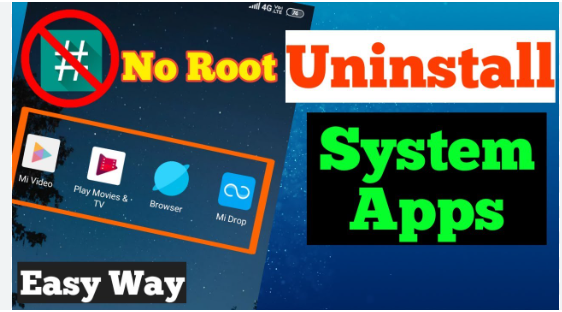
Many Android phones come with pre-installed apps called system apps (How to Uninstall System Apps Without Root on Android). These apps take storage, run in background, and sometimes slow down the phone. But most users do not want to root their phone because rooting can void warranty and cause security issues.
The good news? Yes, you can uninstall system apps without root. This guide explains easy and safe ways to remove bloatware, free storage, and speed up Android without technical trouble.
Let’s understand clearly how you can remove unwanted system apps safely.
✅ Why You Should Remove System Apps
System apps are not always useful. Brands add many apps for marketing, and you never use them. Removing them gives benefits like:

- Free more storage space
- Reduce RAM and battery usage
- Improve phone speed
- Clean and simple home screen
- Stop unnecessary background data usage
But always be careful. Some system apps are important for Android. Removing wrong apps can break features. So follow the steps properly.
How to Uninstall System Apps Without Root on Android (Simple Guide)
✅ Safe Ways to Remove System Apps Without Root
1. Disable System Apps (Fast & Safe)
This is the easiest method. You are not uninstalling the app completely, but you stop it from working.
Steps:
- Open Settings
- Go to Apps
- Select the app you want to remove
- Tap Disable
- Confirm
This will stop the app and remove it from the home screen & app drawer.
Best for beginners ✅
Safe method ✅
2. Using ADB Commands (Full Removal Without Root)

ADB is a developer tool used on computer. It lets you uninstall system apps permanently without root.
This method needs a PC/laptop, but it is safe if you follow steps.
Steps:
- Enable Developer Options
Go to Settings → About Phone → Tap Build Number 7 times - Enable USB Debugging
Go to Developer Options → Enable USB Debugging - Install ADB on PC
(Google “ADB setup tool” and download – only note, not linking as requested) - Connect phone with USB cable
- Open Command Prompt and type:
This will stop the app and remove it from the home screen & app drawer.
Best for beginners ✅
Safe method ✅
2. Using ADB Commands (Full Removal Without Root)
ADB is a developer tool used on computer. It lets you uninstall system apps permanently without root.
This method needs a PC/laptop, but it is safe if you follow steps.
Steps:
- Enable Developer Options
Go to Settings → About Phone → Tap Build Number 7 times - Enable USB Debugging
Go to Developer Options → Enable USB Debugging - Install ADB on PC
(Google “ADB setup tool” and download – only note, not linking as requested) - Connect phone with USB cable
- Open Command Prompt and type:
3. Using ADB App Remover Tools (Beginner Friendly)
Some PC tools make ADB easy with one-click uninstall. They list system apps, you select, click uninstall.
This method is safe and simple for non-technical users.
4. Use Android Debug Menu Tools (Phone-Only Option)
There are apps in Play Store that guide ADB uninstall steps using phone and PC connection. They don’t root phone and are safe.
✅ Important Apps You Should NOT Remove

Avoid uninstalling these:
- Google Play Services
- Phone Dialer
- Messages
- Contacts
- System UI
- Keyboard app
- Google Play Store
If you remove them, phone functions may stop working.(How to Uninstall System Apps Without Root on Android )
✅ Tips to Stay Safe
- Always disable first, uninstall later
- Remove one app at a time
- Do not rush
- Restart after uninstalling apps
- If confused, search app name before uninstalling
✅ Benefits After Removing System Apps
You will notice:
- Faster performance
- More free storage
- Better battery backup
- Smooth multitasking
- Less overheating
Your phone feels fresh like new.
Read also:-How to Fix Android Mobile Heating While Charging: 7 Easy and Powerful Solutions
✅ Common System Apps Safe to Remove
- Pre-installed games
- Facebook installer
- Facebook services
- OEM store apps (brand stores)
- Demo apps
- Samsung/MI/Realme/OPPO bloat tools (optional)
Remove only if you never use them.
✅ FAQ
Q1: Can I uninstall system apps without root?
Yes, you can remove system apps safely using Disable option or ADB commands without root.
Q2: Will my warranty be safe?
Yes, ADB method and disabling apps do not break warranty.
Q3: Is it risky?
Only if you remove important system apps. Follow list and instructions carefully.
Q4: Will removing system apps increase battery life?
Yes, it reduces background processes and saves battery.
Q5: Can I get apps back after uninstall?
Yes, reset phone or use command to reinstall via ADB.
✅ Final Words
Uninstalling system apps without root is possible and safe. Just follow proper steps, remove only unnecessary bloatware, and keep core system apps untouched. Your Android will run faster, smoother, and cleaner.