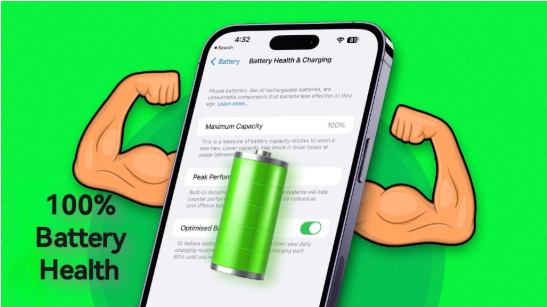
How to Improve iPhone Battery Health, iPhone users often worry about battery health, especially as devices get older. Battery health naturally decreases over time, but the way you charge and use your iPhone can significantly affect how fast it declines. The good news is that you can slow down battery aging and keep your device performing at its best with simple and smart practices. Understanding how the iPhone battery works and following healthy habits makes a major difference in the long run.
Apple uses lithium-ion batteries that offer fast charging, long life, and high performance. However, these batteries lose capacity with every charge cycle. Your goal should be to reduce excessive heat, avoid unnecessary strain, and maintain smart charging routines. Let’s explore effective and practical tips to help improve iPhone battery health naturally and safely.
How to Improve iPhone Battery Health step by step
1. Enable Optimized Battery Charging
This is one of the most important features Apple provides to protect battery health. When turned on, your iPhone analyses daily charging patterns and prevents the battery from staying at 100% for long hours. Instead, it charges to 80% quickly and then waits until you wake up to finish the last 20%. This reduces battery wear and helps maintain better long-term health. You can enable it in Settings → Battery → Battery Health & Charging.
2. Avoid Extreme Temperatures
Heat is the biggest enemy of lithium-ion batteries. Keeping your iPhone in very hot conditions—like inside a parked car or under direct sunlight—can degrade battery health rapidly. Similarly, extremely cold temperatures reduce performance. Ideally, use your iPhone between 0°C and 35°C and keep it away from heat sources.
3. Don’t Charge Your iPhone to 100% All the Time

Many users think charging fully to 100% is good, but doing so every day stresses the battery. Experts recommend keeping it between 20% and 80% for daily use. You can unplug the charger once it reaches 80% or enable optimized charging to let the phone handle it automatically. This simple habit significantly slows down battery aging.
4. Use Original or Apple-Certified Chargers
Cheap chargers may harm your battery by delivering unstable power. Always use genuine Apple chargers or MFi-certified accessories. Good chargers protect battery health, prevent overheating, and ensure your iPhone charges at the correct speed and voltage.
5. Reduce Screen Brightness
Your display is one of the biggest battery consumers. Using high brightness drains battery faster and increases heat. Keep brightness around 40–60%, or use Auto-Brightness to adjust levels automatically. This not only saves battery life but also helps reduce long-term wear.
6. Turn Off Background App Refresh
Many apps run in the background even when you’re not using them, consuming battery and generating heat. Go to Settings → General → Background App Refresh and turn it off for unnecessary apps. This reduces processing load and keeps the battery cooler.
Read also:-Best Xiaomi Phone for Photography: A Natural, Real-World Guide
7. Keep iOS Updated
Apple frequently releases updates that optimize battery performance and improve efficiency. Running outdated software may cause increased battery usage. Make sure your iPhone is always updated to the latest stable version of iOS to ensure optimal battery management.
8. Use Low Power Mode When Needed
Low Power Mode reduces background tasks, visual effects, mail fetch, and app refresh. Turning it on during low battery moments or while traveling helps reduce charge cycles and keeps the device cooler. The cooler the battery stays, the better its health remains over time.
9. Avoid Using Your iPhone While Charging

Using your phone while charging causes heat buildup, and heat speeds up battery aging. Activities like gaming, video streaming, or heavy apps can stress the battery when it’s plugged in. For best results, let your phone rest during charging.
10. Keep Your Apps Clean and Manage Storage
If your device storage is full, the system works harder, which increases heat. Deleting unused apps, clearing old photos, and optimizing space can help your iPhone run smoothly with less battery stress.
11. Turn Off Unnecessary Features
Features like Bluetooth, Wi-Fi, GPS, AirDrop, and mobile hotspot drain battery even when not used. Disable them when not needed. This reduces overall battery load and extends the battery’s lifespan.
12. Use Dark Mode to Reduce Power Usage
For iPhones with OLED displays, Dark Mode uses significantly less power. It reduces strain on the screen and helps lower heat generation, which benefits battery health over time.
FAQ
1. How can I increase my iPhone battery health percentage?
You can improve battery health by avoiding heat, using optimized charging, and keeping the phone between 20–80% charge daily.
2. Does fast charging reduce battery health?
Fast charging generates heat, which may affect health over time. Using optimized charging helps reduce stress.
3. Should I charge my iPhone overnight?
It’s safe but not ideal for battery health. Enable Optimized Battery Charging to prevent overcharging.
4. Why does my iPhone battery health drop fast?
Excessive heat, heavy gaming, long screen time, and bad charging practices can reduce battery health quickly.
5. Is 85% battery health still good?
Yes, 85% is normal for older devices. Following healthy charging habits can slow further degradation.