Introduction
Knowing how to erase hard disk data properly is very important today. Many people store personal photos, office files, bank details, and passwords on their computers. When you sell a computer, give it to someone else, or face a system issue, simply deleting files is not enough. Data can still be recovered if the hard disk is not erased correctly. This article explains how to erase hard disk data safely using simple and easy methods that anyone can understand.
Why Erasing a Hard Disk Is Important
Erasing a hard disk protects your personal and professional data. Deleted files often remain on the disk and can be recovered using special tools. This can lead to privacy risks and data misuse. A proper hard disk wipe ensures that your data is permanently removed and cannot be accessed again. It is especially important before selling, donating, or recycling a computer.
Understanding Hard Disk Erasing
When people delete files or format a drive, the data is not fully removed. The system only removes access to the files, but the data stays on the disk until it is overwritten. Learning how to erase hard disk properly means removing data in a way that it cannot be recovered. This process is also known as secure data erasure.
Method 1: Formatting the Hard Disk
Formatting is one of the most common ways to erase hard disk data. It removes files and prepares the drive for reuse. A quick format is fast but not secure, as data can still be recovered. A full format takes more time and overwrites data, making recovery difficult. This method is suitable if you are reinstalling an operating system for personal use.
Method 2: Using Built-In System Tools

Most operating systems provide built-in options to erase hard disk data. These tools allow you to reset the system and remove all files. During the process, you can choose options that overwrite data for better security. This method is user-friendly and does not require technical knowledge.
Method 3: Disk Wipe Software
Disk wipe software is designed for permanently deleting data. These tools overwrite the hard disk multiple times to ensure data cannot be recovered. This is one of the safest ways to erase hard disk content. It is commonly used by professionals and businesses handling sensitive information.
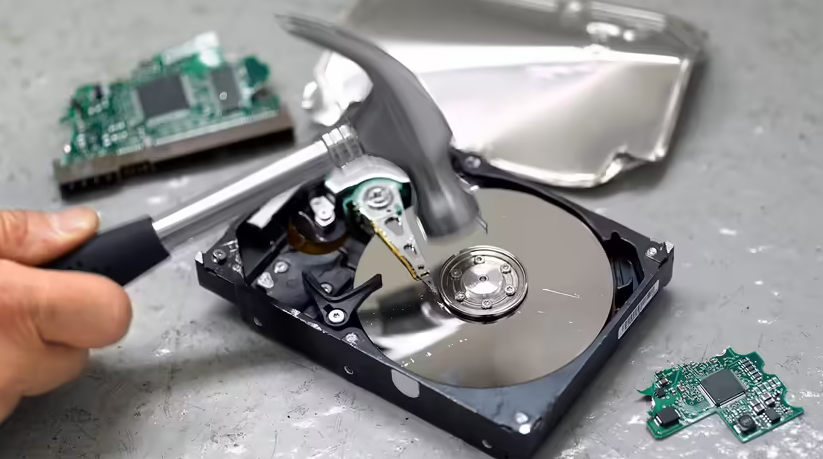
Method 4: Physical Destruction (Last Option)
Physical destruction is used when a hard disk is damaged or no longer needed. Breaking or shredding the disk makes data recovery impossible. This method should only be used when the hard disk will not be reused. It is often chosen by organizations for high-security data disposal.
Things to Do Before Erasing a Hard Disk

Before starting the process, always back up important files. Once the hard disk is erased, data cannot be recovered. Make sure you are erasing the correct drive to avoid accidental data loss. Also, ensure the computer has a stable power supply during the process to prevent interruptions.
Read also:-How to Wipe a Hard Disk Drive: A Simple and Clear Guide
Common Mistakes to Avoid
Many people think deleting files or emptying the recycle bin is enough. This is a common mistake. Another mistake is using quick format when secure erasure is needed. Always choose the method based on your purpose. If privacy is important, secure erase methods should be used.
When Should You Erase a Hard Disk

You should erase a hard disk before selling or giving away your computer. It is also recommended when reinstalling the operating system due to serious errors or malware. Businesses should erase hard disks when upgrading systems or disposing of old hardware.
Conclusion
Understanding how to erase hard disk data correctly helps protect your privacy and sensitive information. Simple deletion is not enough, and proper methods must be used to ensure data is permanently removed. Whether you choose formatting, system tools, or disk wipe software, the key is selecting the right method for your needs. A properly erased hard disk gives peace of mind and prevents future data risks.
FAQs
What is the safest way to erase a hard disk?
Using disk wipe software that overwrites data is considered the safest method.
Does formatting delete data permanently?
Quick formatting does not permanently delete data, but full formatting offers better security.
Can erased hard disk data be recovered?
If secure erase methods are used, data recovery is extremely difficult or impossible.
How long does it take to erase a hard disk?
The time depends on disk size and the method used. Secure wiping takes longer.
Should I erase my hard disk before selling my computer?
Yes, erasing the hard disk protects your personal and financial information.