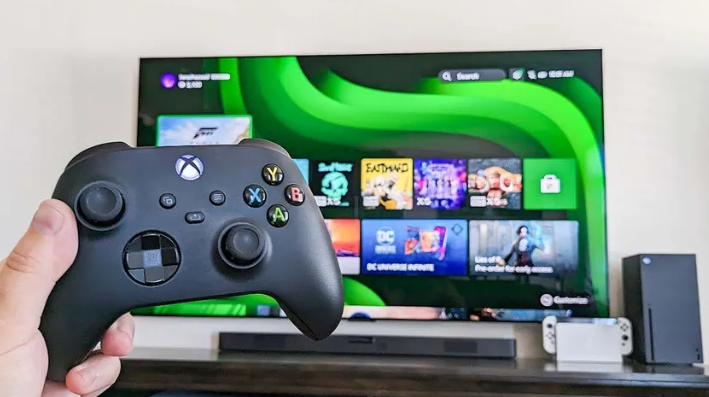
The Xbox One controller is one of the most popular gaming controllers used by millions of players. Over time, it can collect dust, develop button issues, or show joystick problems. That is why many users search for how to take apart an Xbox One controller to fix these issues at home.
Taking apart a controller may sound difficult, but it is actually simple if you follow the correct steps. With the right tools and a little patience, you can safely open your controller and clean or repair it.
In this guide, you will learn how to take apart an Xbox One controller in simple English so anyone can understand and follow easily.
Why You May Need to Take Apart an Xbox One Controller
There are several reasons why you might want to open your controller.
One common reason is cleaning. Dust and dirt can build up inside the controller and affect button performance.
Another reason is joystick drift. Sometimes the analog stick moves automatically without touching it.
Buttons may also stop working properly due to wear or dirt.
Some users also open their controller to replace damaged parts or customize its look.
Learning how to take apart an Xbox One controller can help you solve these problems easily.
Tools Required for Opening the Controller
Before starting, you need a few simple tools.
A Torx T8 screwdriver is required to remove the screws.
A plastic pry tool helps open the controller without damaging it.
A small container is useful to keep screws safe.
Good lighting and a clean surface make the process easier.
Using the correct tools is very important for safe disassembly.
Step 1 Remove the Battery Cover

The first step in how to take apart an Xbox One controller is removing the battery cover.
Turn the controller and slide off the back cover.
Remove the batteries or battery pack.
This step is important because one screw is hidden inside the battery area.
Always remove power before opening any electronic device.
Step 2 Remove the Side Grips
The controller has side grips that hide the screws.
Use a plastic pry tool to gently open the grips.
Start from the seam and slowly move along the edge.
You will hear small clicks as the clips open.
Be careful not to break the clips.
Once removed, the screws will be visible.
Step 3 Remove All Screws

Now it is time to remove the screws.
There are usually five screws in total.
Four are on the back and one is inside the battery compartment.
Use the Torx T8 screwdriver to remove them.
Keep all screws in a safe place.
Removing the screws allows you to open the controller body.
Step 4 Open the Controller Body
After removing all screws, gently separate the front and back parts.
Lift the back shell slowly.
Inside you will see the internal components like circuit board and buttons.
Do not force anything while opening.
Handle everything carefully to avoid damage.
Read more:-How to Improve Cell Phone Signal: The Complete Network Optimization Guide
Step 5 Clean or Repair the Controller
Now you can access the internal parts.
You can clean dust using a soft brush or air blower.
Check buttons and rubber pads for damage.
If the joystick has issues, you may need to clean or replace it.
Make sure all parts stay in their original position.
This step is important for fixing common controller problems.
Step 6 Reassemble the Controller

After cleaning or repairing, it is time to reassemble.
Place all parts back in their correct position.
Close the controller shell carefully.
Insert and tighten the screws.
Do not over tighten them.
Attach the side grips and battery cover.
Finally, test the controller to make sure everything works properly.
Safety Tips While Opening the Controller
Always work slowly and carefully.
Do not use too much force.
Avoid touching the circuit board unnecessarily.
Keep all small parts safe.
If you are unsure, take photos during each step.
These tips will help you avoid mistakes.
Common Mistakes to Avoid
Many users make small mistakes while opening controllers.
Using the wrong screwdriver can damage screws.
Forcing the grip panels can break clips.
Losing screws can make reassembly difficult.
Not remembering part positions can cause issues later.
Avoiding these mistakes makes the process easier.
Conclusion
Learning how to take apart an Xbox One controller is very useful for fixing common problems like dirty buttons or joystick issues. With the right tools and careful steps, anyone can open and repair their controller at home.
The process is simple if you stay patient and organized. Always handle parts carefully and keep track of screws. After reassembling, your controller can work like new again
FAQ
Is it safe to take apart an Xbox One controller
Yes, it is safe if you use proper tools and follow the steps carefully.
What tool is needed to open the controller
A Torx T8 screwdriver is required to remove the screws.
Can I fix joystick drift by opening the controller
Yes, cleaning or replacing parts can help fix joystick drift.
Will opening the controller damage it
No, if done carefully, it will not damage the controller.
Can I clean the controller inside
Yes, you can clean dust and dirt using a soft brush or air.