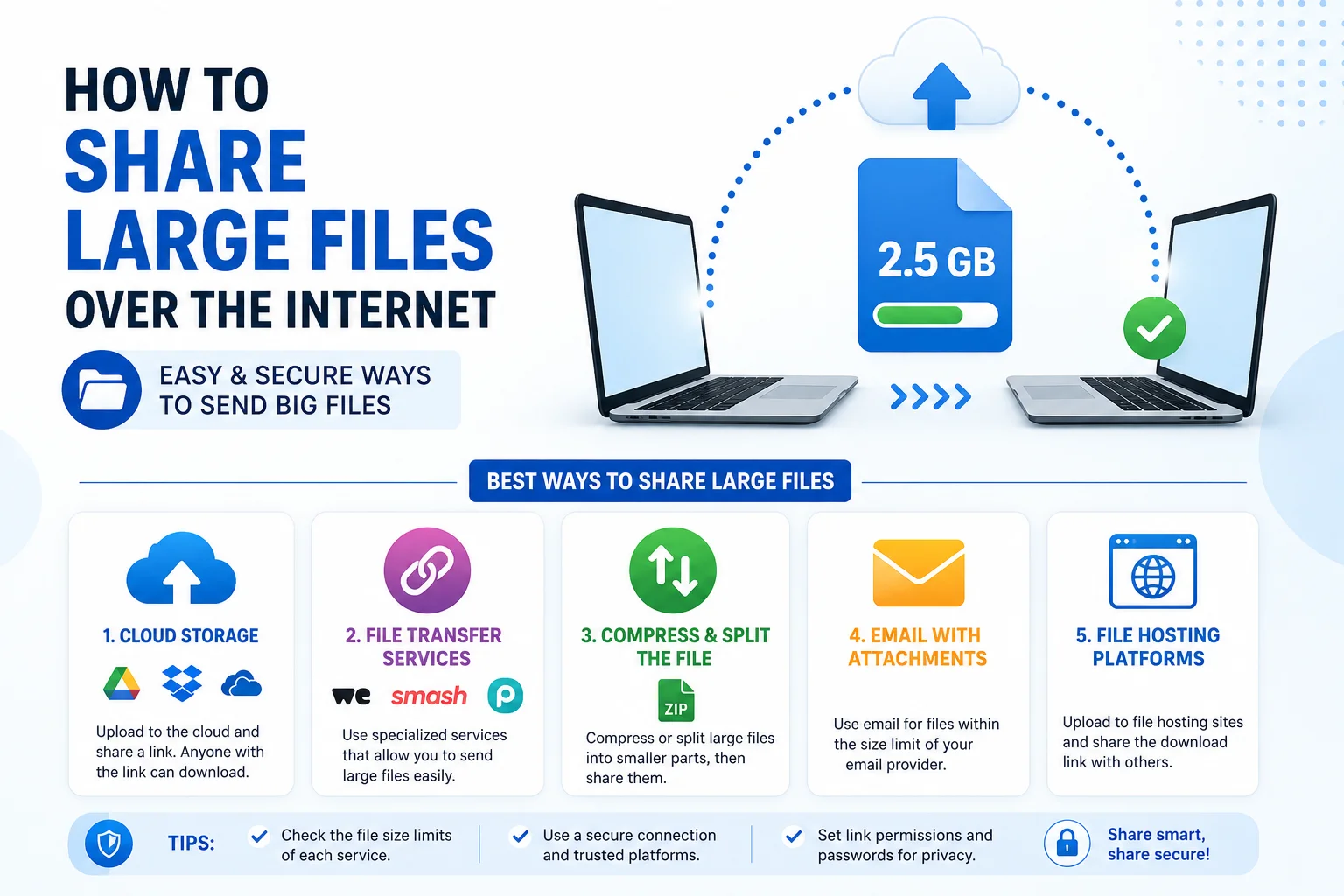
Sharing large files online has become a part of everyday digital life. Whether you need to send high-resolution videos, project files, software packages, backup folders, or business documents, understanding How To Share Large Files Over The Internet can save time, improve productivity, and keep your files secure.
Many users struggle when email attachments fail or file sizes exceed platform limits. The good news is that there are multiple reliable ways to transfer big files quickly and safely.
In this complete guide, you’ll learn the best methods, tools, and tips for transferring large files without quality loss or security risks.
Why Large File Sharing Matters
Modern files are bigger than ever. A single 4K video, Photoshop project, or software installer can easily exceed several gigabytes.
Knowing How To Share Large Files Over The Internet helps with:
- Remote work collaboration
- Video editing projects
- Business document sharing
- Software distribution
- Personal media backup
- Cross-device file transfer
Choosing the right method depends on file size, internet speed, privacy requirements, and device compatibility.
Method 1: Compress Files Before Sending

Before uploading any large file, compression is often the first step.
Compression reduces file size, making uploads faster and easier.
Popular compression formats include:
- ZIP
- RAR
- 7Z
How To Compress Files
Windows:
- Select your file or folder.
- Right-click it.
- Choose Compress to ZIP file.
Mac:
- Select the file.
- Right-click.
- Click Compress.
Compressed files transfer faster and use less bandwidth.
Benefits of Compression
- Smaller file size
- Faster uploads
- Easier downloads
- Better storage efficiency
Compression is especially useful before using email or cloud storage.
Method 2: Share Files Using Email
Email remains one of the simplest file sharing options.
Steps:
- Open your email platform.
- Create a new message.
- Attach your file.
- Enter recipient details.
- Send.
Pros
- Easy to use
- No extra software needed
- Universally supported
Limitations
Most email providers limit attachments to:
- 20MB
- 25MB
So email works best for smaller documents, PDFs, and presentations.
For bigger files, other methods work better.
Method 3: Use USB Flash Drives

USB drives are still one of the fastest offline transfer options.
Steps:
- Insert USB drive.
- Copy your files.
- Safely remove the drive.
- Connect it to another PC.
- Paste files.
Advantages
- No internet required
- Fast transfer speed
- Portable and reusable
Disadvantages
- Can be lost
- Risk of malware
- Limited physical access
USB drives are ideal when both computers are nearby.
Method 4: External Hard Drives
External drives work well for very large data transfers.
Best For:
- Video libraries
- Backup folders
- Business archives
- Software collections
Benefits
- Huge storage capacity
- Fast transfer speeds
- Reliable for bulk data
Storage options can range from:
- 500GB
- 1TB
- 2TB
- 4TB and beyond
If you frequently move large files, this can be a smart investment.
Method 5: Cloud Storage Services
Cloud storage is one of the easiest ways to learn How To Share Large Files Over The Internet.
How It Works
- Upload your file.
- Generate a share link.
- Send the link.
- Recipient downloads the file.
Advantages
- Access from anywhere
- No physical device needed
- Great for teamwork
Common Use Cases
- Office projects
- Educational files
- Client deliverables
- Media collaboration
Limitations
- Upload speed depends on internet
- Free plans may have storage limits
Cloud sharing is ideal for daily professional use.
Method 6: FTP File Transfer
FTP stands for File Transfer Protocol.
It’s commonly used by professionals and businesses.
How FTP Works
- Install FTP software.
- Connect to server.
- Upload files.
- Share access with recipient.
Benefits
- Fast for bulk transfers
- Reliable for servers
- Great for remote access
Drawbacks
- Requires setup knowledge
- Not beginner-friendly
FTP is best for developers, IT teams, and enterprise workflows.
Method 7: Peer-To-Peer File Transfer
Peer-to-peer transfer connects devices directly.
Benefits
- Faster local transfers
- No cloud storage needed
- Better privacy
This method works well within office networks or home systems.
Read more:-How to Transfer Files from PC to PC: 9 Simple Complete Solutions for Secure File Sharing
How To Choose The Best File Sharing Method
When deciding How To Share Large Files Over The Internet, consider:
File Size
Small files:
Medium files:
- Cloud storage
Large files:
- External drives or FTP
Security
Sensitive business files should use:
- Password protection
- Encryption
- Secure transfer protocols
Speed
Faster options:
- USB
- External SSD
- Local network transfer
Accessibility
Cloud storage wins if multiple people need access.
Security Tips For Sharing Large Files
Security matters when transferring important data.
Always follow these best practices:
Use Password Protection
Protect ZIP files or cloud folders.
Enable Two-Factor Authentication
Adds extra security.
Scan Files For Malware
Always scan before sending.
Avoid Public Wi-Fi
Use trusted networks for sensitive transfers.
Common Problems During File Sharing
Upload Stuck
Possible reasons:
- Slow internet
- Browser issues
- Large file size
File Corruption
May happen because of:
- Interrupted transfer
- Faulty storage devices
Permission Errors
Check sharing settings and access permissions.
Best Practices For Faster File Sharing
To improve speed:
- Compress files first
- Use stable internet
- Close background downloads
- Transfer during off-peak hours
These steps make How To Share Large Files Over The Internet much easier.
Conclusion
Learning How To Share Large Files Over The Internet is essential in today’s digital world. Whether you use cloud storage, USB drives, FTP servers, or compression tools, the best method depends on your needs.
For personal sharing, cloud storage works great.
For professional workflows, secure transfer methods like FTP or encrypted cloud platforms are better.
Choose the method that gives you the right balance of speed, security, and convenience.
FAQ
What is the easiest way to share large files online?
Cloud storage is usually the easiest option for most users.
Can I send large files through email?
Yes, but most email services have attachment size limits.
Is cloud storage safe?
Yes, especially when you enable password protection and two-factor authentication.
What is the fastest way to transfer large files?
USB drives, external SSDs, and local network transfers are often the fastest.
Should I compress files before sending?
Yes, compression reduces file size and speeds up transfer.