Android 15 Release Date Samsung
Samsung users have been eagerly waiting for the Android 15 update, which arrives with Samsung’s latest One UI 7 software. The update introduces a refreshed interface, improved AI features, better privacy controls, smoother animations, and enhanced performance across supported Galaxy smartphones and tablets.
Samsung officially began rolling out the stable Android 15-based One UI 7 update starting on April 7, 2025 for eligible Galaxy devices. The rollout first targeted flagship smartphones before expanding to additional Galaxy models over the following weeks.
If you’re wondering about the Android 15 release date Samsung, supported devices, new features, and how to update your phone, this guide covers everything you need to know.
What Is Android 15?
Android 15 is Google’s latest major Android operating system version. Samsung customizes Android 15 with its own user interface called One UI 7, adding exclusive Galaxy features and optimizations.
The update focuses on:
- Better performance
- Enhanced privacy protection
- Improved multitasking
- AI-powered productivity tools
- Smoother animations
- More customization options
- Better battery management
Samsung combines these Android improvements with its own Galaxy ecosystem enhancements to create a more user-friendly experience.
Android 15 Release Date Samsung Rollout Timeline

Samsung announced the official One UI 7 rollout in March 2025 and started distributing the update on April 7, 2025. The first devices to receive the update included the Galaxy S24 series and Samsung’s latest foldable phones.
First Wave Devices
The initial rollout included:
- Samsung Galaxy S24
- Samsung Galaxy S24+
- Samsung Galaxy S24 Ultra
- Galaxy Z Fold 6
- Galaxy Z Flip 6
These devices were prioritized because they represent Samsung’s newest flagship lineup.
Second Wave Devices
After the flagship rollout, Samsung expanded Android 15 availability to:
- Galaxy S23 Series
- Galaxy S23 FE
- Galaxy S24 FE
- Galaxy Z Fold 5
- Galaxy Z Flip 5
- Galaxy Tab S10 Series
- Galaxy Tab S9 Series
Additional mid-range and older premium devices followed in subsequent phases.
Samsung Devices Expected to Receive Android 15

Galaxy S Series
Most recent Galaxy S devices qualify for Android 15, including:
- Galaxy S24 Series
- Galaxy S23 Series
- Galaxy S22 Series
- Galaxy S21 Series
- Galaxy S24 FE
- Galaxy S23 FE
- Galaxy S21 FE
Galaxy Z Fold and Flip Series
Supported foldables include:
- Galaxy Z Fold 6
- Galaxy Z Fold 5
- Galaxy Z Fold 4
- Galaxy Z Flip 6
- Galaxy Z Flip 5
- Galaxy Z Flip 4
Galaxy A Series
Many popular A-series smartphones are also eligible:
- Galaxy A55
- Galaxy A54
- Galaxy A35
- Galaxy A34
- Galaxy A25
- Galaxy A15
Availability may vary by region and carrier.
Major Features of Samsung Android 15
Refreshed One UI 7 Design
One UI 7 introduces a cleaner and more modern design. Samsung has redesigned several interface elements to make navigation simpler and more intuitive.
Users will notice:
- Updated icons
- Improved widgets
- Cleaner quick settings panel
- Better notification management
- Enhanced animations
Galaxy AI Enhancements
Samsung continues expanding its AI capabilities with Android 15.
New AI features help users:
- Improve productivity
- Search settings using natural language
- Manage content efficiently
- Enhance communication tools
Better Privacy and Security
Privacy remains a major focus of Android 15.
Security improvements include:
- Stronger app permissions
- Enhanced device protection
- Better data management
- Improved account security
Improved Battery Optimization
Battery efficiency receives several upgrades.
Benefits include:
- Longer standby time
- Better background app control
- Reduced power consumption
- Improved charging management
Enhanced Multitasking
Samsung devices are already known for multitasking capabilities, and Android 15 improves them further.
Features include:
- Faster app switching
- Better split-screen support
- Improved floating windows
- Enhanced productivity tools
How to Check for Android 15 Update
If your Samsung device is eligible, checking for the update is simple.
Step 1: Open Settings
Launch the Settings app on your Galaxy phone.
Step 2: Tap Software Update
Scroll down and select Software Update.
Step 3: Select Download and Install
Tap Download and Install.
Step 4: Check Availability
Your phone will search for available updates.
Step 5: Install the Update
If Android 15 is available, follow the on-screen instructions to download and install it.
Make sure your device has sufficient battery charge and a stable internet connection before starting the installation.
Read more:-Samsung Galaxy S25 Slim: 7 Amazing Powerful Features You Need to Know
Why Some Samsung Phones Receive Updates Later
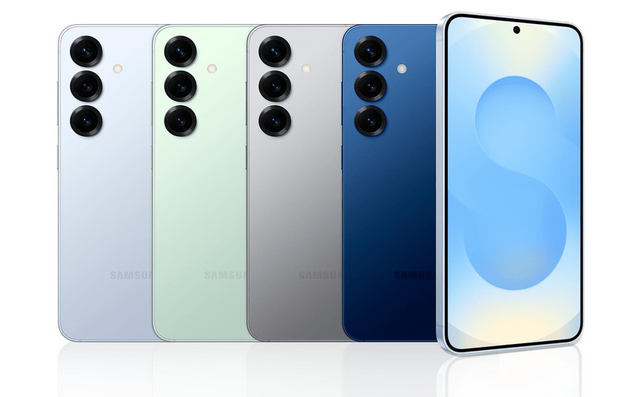
Many users wonder why Android 15 doesn’t arrive on every Galaxy device simultaneously.
Several factors affect rollout timing:
- Device model
- Region
- Carrier approval
- Software testing
- Server availability
Samsung usually releases updates gradually to identify and resolve any unexpected issues before wider deployment.
Benefits of Updating to Android 15
Installing Android 15 offers several advantages.
Better Performance
The operating system runs more efficiently and improves overall responsiveness.
Improved Security
Security patches and privacy enhancements help protect your data.
New Features
Users gain access to the latest Samsung and Android innovations.
Longer Device Support
Keeping your device updated ensures compatibility with future apps and services.
Enhanced User Experience
The updated interface provides smoother navigation and improved usability.
Tips Before Installing Android 15
Before updating:
- Back up important files
- Charge your phone above 50%
- Connect to Wi-Fi
- Free up storage space
- Close unnecessary applications
These steps help ensure a smooth installation process.
Conclusion
The Android 15 release date Samsung rollout officially began on April 7, 2025, bringing One UI 7 and numerous improvements to Galaxy devices. Samsung’s latest update delivers a redesigned interface, stronger security, improved battery management, AI-powered features, and enhanced performance. Eligible Galaxy smartphones and tablets continue receiving the update in phases, making it one of Samsung’s most significant software releases in recent years.
FAQ
What is the Android 15 release date Samsung?
Samsung officially started rolling out Android 15 with One UI 7 on April 7, 2025.
Which Samsung phones support Android 15?
Many Galaxy S, Galaxy Z, Galaxy A, and Galaxy Tab devices released in recent years are eligible for the update.
What is One UI 7?
One UI 7 is Samsung’s custom software interface built on Android 15, featuring new design elements, AI tools, and performance improvements.
How do I check for the Android 15 update?
Go to Settings > Software Update > Download and Install on your Samsung device.
Is Android 15 free for Samsung users?
Yes, Android 15 is a free software update for eligible Samsung devices.
Does Android 15 improve battery life?
Yes, Android 15 includes battery optimization features designed to improve power efficiency and extend battery performance.
Why haven’t I received Android 15 yet?
Samsung releases updates gradually based on device model, region, and carrier approval, so some users may receive the update later than others.